
Read it in three steps
- Set the scan language, fill the frame with the handwriting, and tap the shutter — the live view is tuned for print.
- Tova reads the still capture with handwriting recognition, retrying with higher-contrast and sharpened versions of the photo.
- Read the translation with the pinyin, romaji or romanisation above each character, and tap to listen.
Why handwriting needs the shutter
The live camera view reads text many times a second, and to do that it is tuned for print: menus, signs, packaging. Handwriting is slower and harder to recognise, so pointing at a chalkboard and waiting for the live panel to fill in usually gets you fragments.
Tapping the shutter takes a different path. Tova captures a still photo and reads it with Apple's handwriting recognition. For Chinese, Japanese and Korean it also tries several versions of the same image — higher contrast, sharpened, enlarged — and keeps whichever produced the most real characters. That is what rescues chalk on a dark board, biro on brown paper, and small writing in the corner of a page.
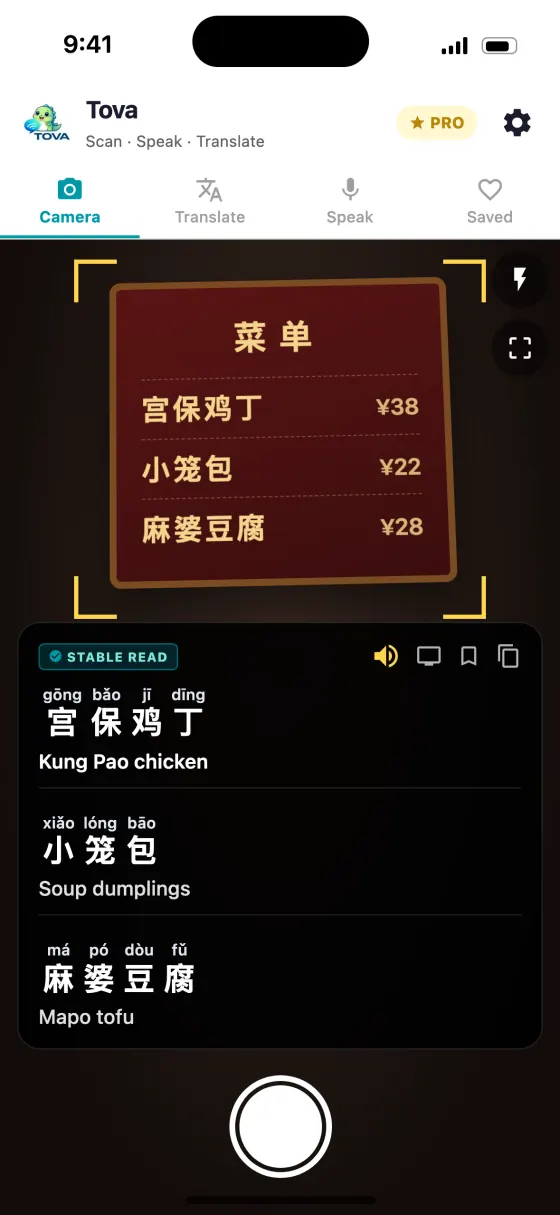
The results appear in the panel at the bottom of the screen like any other scan: the reading above each character — pinyin for Mandarin, Jyutping for Cantonese, romaji for Japanese, Revised Romanization for Korean — and the translation underneath.
What reads well and what does not
Be realistic. Recognition is good on neat writing and falls away quickly as it gets messier.
| Usually reads | Often fails |
|---|---|
| Neat block handwriting in marker or pen | Fast, joined-up cursive |
| Chalkboard menus, shot straight on | Chalk photographed at a sharp angle |
| Faint writing on brown or kraft paper | Writing smudged or partly rubbed out |
| Short notes — an address, a Wi-Fi password, directions | Several lines written on top of each other or crammed into margins |
| Printed-style characters in brush | Highly stylised brush calligraphy and grass script |
| One writer, one direction | Mixed vertical and horizontal writing in the same frame |
Swipe to see the whole table →
Words that turn up on handwritten menus
Specials boards use a small vocabulary. These are worth recognising before you scan.
| Written | Reading | Language | What it means |
|---|---|---|---|
| 时价 | shíjià | Chinese | Market price — ask before you order |
| 今日推荐 | jīnrì tuījiàn | Chinese | Today's recommendation |
| 卖完了 | mài wán le | Chinese | Sold out |
| 時価 | jika | Japanese | Market price |
| 本日のおすすめ | honjitsu no osusume | Japanese | Today's recommendation |
| 売り切れ | urikire | Japanese | Sold out |
| 오늘의 메뉴 | oneurui menyu | Korean | Today's menu |
| 품절 | pumjeol | Korean | Sold out |
Words on a handwritten medicine label
Pharmacists in China, Japan and Korea often write the dosing by hand on the packet or envelope. The instructions are formulaic.
Do not rely on a phone for medicine. Use the translation to check you have understood, then confirm with the pharmacist before you leave — show them the screen and ask them to point at the dose. If anything is unclear, ask again.
| Written | Reading | Language | What it means |
|---|---|---|---|
| 每日三次 | měi rì sān cì | Chinese | Three times a day |
| 每次一片 | měi cì yī piàn | Chinese | One tablet each time |
| 饭前 | fàn qián | Chinese | Before meals |
| 饭后 | fàn hòu | Chinese | After meals |
| 睡前 | shuì qián | Chinese | Before bed |
| 外用 | wàiyòng | Chinese | For external use only |
| 1日3回 | ichinichi sankai | Japanese | Three times a day |
| 食前 | shokuzen | Japanese | Before meals |
| 食後 | shokugo | Japanese | After meals |
| 食間 | shokkan | Japanese | Between meals |
| 就寝前 | shūshinmae | Japanese | Before bed |
| 頓服 | tonpuku | Japanese | Take when needed |
| 하루 세 번 | haru se beon | Korean | Three times a day |
| 식전 | sikjeon | Korean | Before meals |
| 식후 | sikhu | Korean | After meals |
| 취침 전 | chwichim jeon | Korean | Before bed |
Real situations, step by step
A handwritten specials board
- Set the scan language to match the board. Tova reads the script you choose, so a Japanese board needs Japanese selected.
- Stand square to the board and fill the frame. Chalk reflects light at an angle; shooting straight on removes most of the glare.
- Tap the shutter, not the live view. If one section comes back empty, capture that part again on its own, closer.
- Save what you want to order. Favourites keeps the reading, so you can say the dish or show it. The printed menu next to it reads the same way — the Chinese menu guide and Japanese menu guide cover the vocabulary.
A note from a host
- Lay the note flat in good light. A creased note photographed in your hand is the most common reason for a bad read.
- Capture the whole note first, then the lines that matter. Addresses, door codes and check-out times are worth a second, closer capture.
- Check numbers against the original. A 1 and a 7, or a 0 and a 6, are easy to confuse in handwriting. Read them off the paper, not just off the screen.
A pharmacist's label
- Capture the label before you leave the counter. If the reading looks wrong you can ask while the pharmacist is still there.
- Match the key words against the table above. Frequency and timing — three times a day, after meals — are what you need to get right.
- Ask the pharmacist to confirm. Point at the dose on the packet and show them the translation.
Common mistakes
- Waiting for the live view to read handwriting. It is built for print. Tap the shutter.
- Choosing the wrong scan language. Kanji and Chinese characters overlap, but a Japanese note read as Chinese loses its kana and its meaning. Match the scan language to the writer.
- Shooting at an angle. Tilted handwriting on a board or a menu is harder to read than tilted print. Square up.
- Trusting a confident translation of messy writing. If the source was hard to read, the translation is a guess. Check the characters Tova recognised against the paper — a wrong character produces a fluent, wrong sentence.
- Expecting calligraphy to read like print. Temple placards and old inscriptions sometimes work, and heavily stylised brush writing often does not.
Learning from what you scan
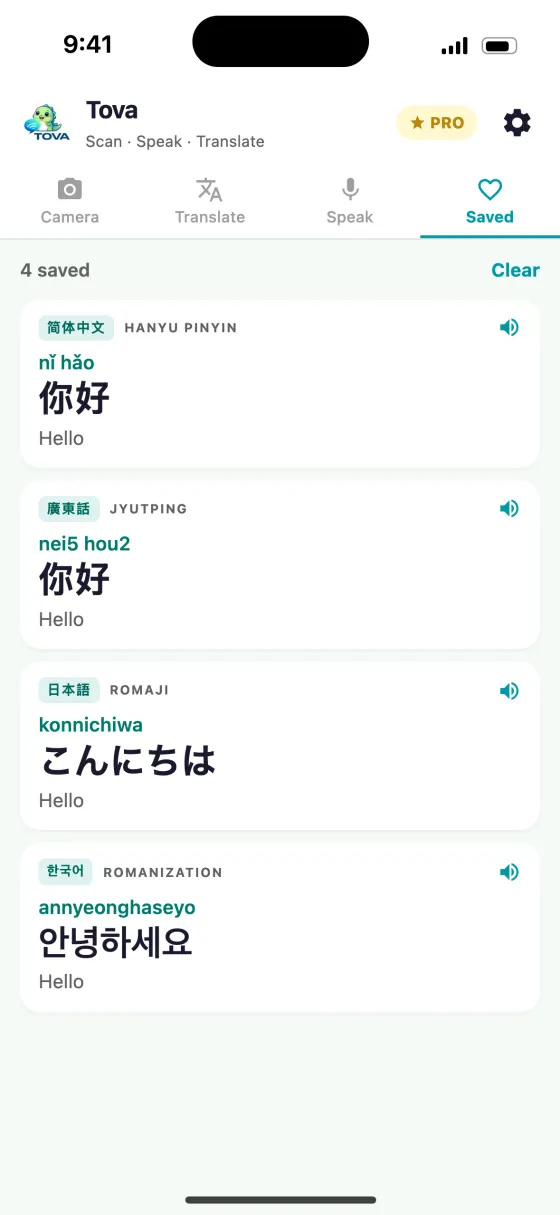
Handwriting is where the reading above each character helps most, because handwritten forms can look different from the printed ones you have seen. Seeing the pinyin or romaji next to a scrawled character is how you learn to recognise it next time. The guide to reading Chinese characters with pinyin goes further into how that works.
About this guide
Can any app translate handwritten Chinese?
Some can, with limits. Tova reads handwriting from a still capture using Apple's handwriting recognition, and for Chinese, Japanese and Korean it tries several versions of the photo, such as higher contrast and sharpened, keeping whichever produced the most real characters. Neat writing reads well; fast cursive can still fail.
Why does the live camera not read handwriting?
The live view reads many times a second and is tuned for printed text. Handwriting needs the slower recognition that runs when you tap the shutter, so capture a still photo instead of waiting for the live panel.
Will it read a chalkboard menu?
Usually. Chalk on a dark board is mostly a contrast problem, and the higher-contrast retries are designed for it. Get close, stand square to the board to cut glare, and tap the shutter.
What about brush calligraphy?
Results vary. Brush writing close to printed forms often reads, while highly stylised calligraphy and grass script frequently do not. Temple placards and faded inscriptions are the hardest case.
Can I trust it with a handwritten medicine label?
Use it to check your understanding, not as the final word. Confirm the dose with the pharmacist before you leave, and show them the translation so they can point at the right instruction.
Does handwriting scanning cost extra?
No. Handwriting recognition runs on the free tier whenever you capture with the shutter.
Try it on the next menu or sign
Free on the App Store and Google Play. Works offline in China, no VPN.
Download on theApp StoreGet it onGoogle Play