
The short answer
If you will be reading signs and talking to people: Tova, which we make. It shows pinyin above every character so you can say what you read, and its keyboard translates what you type in WeChat, where most conversations in China happen. It is not the best choice for long documents or for European languages, and we will say so below. If menus are the main worry, start with how to read a Chinese menu.
If you want one free app and nothing else: Apple Translate, if you carry an iPhone. It is already installed, it is not blocked, and it works offline once you download Chinese.
If you are learning the language: Pleco. It is a dictionary rather than a translator, it is entirely on-device, and nothing else comes close for looking up a character you half-recognise.
Everything here was tested on a mainland Chinese network in September 2026. What is reachable from inside China changes without notice, sometimes within a week. Check before you rely on any of it. Tova Keyboard and the other features marked new further down arrived after that test.
What each one does inside China
| App | In China | Offline | Pronunciation | Cost |
|---|---|---|---|---|
| Google Translate | Blocked. translate.google.cn shut down in 2022 | Offline packs work if pre-downloaded | Romanisation under the text box | Free |
| Apple Translate | Works | Yes — download in Settings | Not per character | Free, built into iOS |
| Baidu Translate | Works — a Chinese service | Partial | Some | Free |
| Pleco | Works — dictionary is on-device | Fully offline | Pinyin on every entry | Free base app, paid add-ons |
| DeepL | Unreliable | No — needs a connection | No | Free tier, paid subscription |
| Tova Translate | Works | Falls back to on-device | Pinyin above every character | Free with ads, optional Pro |
Google Translate
Still the best general-purpose translator in the world, and the wrong tool for this particular country. Google's services are filtered in mainland China and the China-specific version was retired in 2022, so the app opens and then quietly fails to do anything.
The exception is worth knowing: its offline packs keep working, because they run on your phone rather than on Google's servers. Download Chinese before you fly and you have a usable — if basic — offline translator. Downloading it after you arrive is the part that will not work.
Use it if you already rely on it and remember to prepare. Skip it if you are deciding fresh, because you are choosing an app whose main strength is switched off.
Apple Translate
The best choice for most travellers with an iPhone, if not the most exciting one. It is not blocked, it is already installed, and its offline mode is genuinely offline once you download a language in Settings.
It is also plainer than the alternatives. Camera translation exists but is less forgiving of bad lighting and handwriting than dedicated scanners, and it does not print readings above individual characters, so it tells you what a sign means without helping you say it.
Use it if you want zero setup and zero cost. Skip it if you are trying to learn anything as you go.
Baidu Translate
A Chinese product on Chinese infrastructure, so it is fast and reachable everywhere Google is not. Its Chinese-English translation is good, and it handles Chinese internet slang better than Western tools.
The interface is largely in Chinese, which is an obstacle precisely for the people who need a translator. Registration can require a Chinese phone number for some features.
Use it if you read some Chinese already, or you are staying long enough for the interface to stop being a problem. Skip it if you land unable to read the menus of the app itself.
Pleco
Not a translator, and that is the point. Pleco is the dictionary serious Chinese learners have used for over a decade: look up a character by drawing it, by radical, by pinyin, or with its camera, and get readings, definitions, example sentences and stroke order.
It will not translate a paragraph for you and does not try. For single words and characters it is better than anything else on this list, entirely offline, and the base app is free.
Use it if you are studying the language. Skip it if you want a sentence in and a sentence out.
DeepL
The best translation quality on this list for long-form European-language text, and close to irrelevant for this trip. It needs a live connection, has no meaningful offline mode on mobile, and its reachability from mainland China is inconsistent.
Use it if you are translating documents from a connection that works. Skip it if you are standing in front of a menu in Chongqing.
Tova Translate, including where it loses
We built Tova for one specific gap: reading signs, menus and labels in a script you cannot pronounce, in a country where the obvious app does not work. It scans 11 writing systems, prints pinyin, Jyutping, romaji or Hangul romanisation above each character, and falls back to on-device translation when the network is gone.
New since our test: Tova Keyboard. In China most conversations with hosts, drivers and shops happen in WeChat. Tova Keyboard works inside WeChat, WhatsApp or any other app: type in your own language, tap Translate, check the pinyin and the line that translates it back, then tap Replace. WeChat has a translate button of its own for what you type, free and unlimited, and it is worth knowing about. It covers a handful of languages (Chinese, English, Japanese and Korean at the time of writing), shows the translation alone and works only inside WeChat. Tova Keyboard adds the pinyin, a back-translation that tells you whether it says what you meant, a Polite switch for hosts and business contacts, many more languages, and it works in every app. It needs a connection, and five keyboard translations a day are free. How Tova Keyboard works.
Also new: a Lock Screen button that opens the camera in one tap (iPhone, iOS 18), an Apple Watch app (Pro), Common Replies, which show the answers you are likely to hear back (Pro), and Explain this menu, which says what each dish usually is and which allergens to ask about (Pro). Explain this menu is a guide, not a guarantee: always confirm allergies with the staff.
Where it loses: Pleco is a better dictionary and always will be — it is a decade of lexicography, not a scanner. DeepL translates long documents better. Apple Translate is free, already installed and good enough if pronunciation does not matter to you. And on Android, Tova comes from Google Play, which is blocked in mainland China, so install it before you go.
Use it if you want to read and say the thing in front of you. Skip it if you only need the gist and already have an app that gives you one.
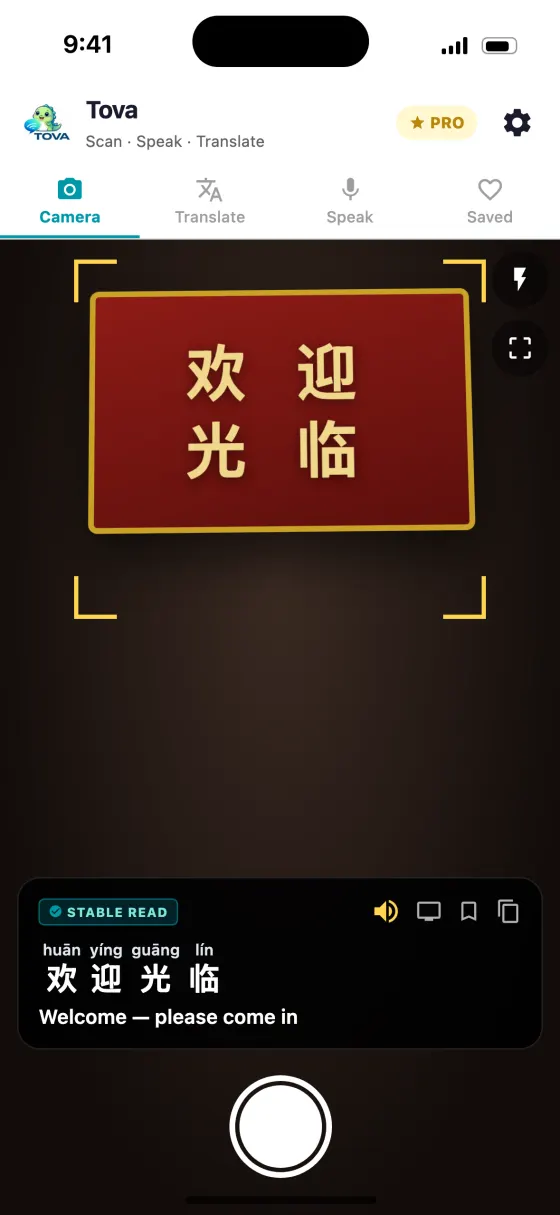
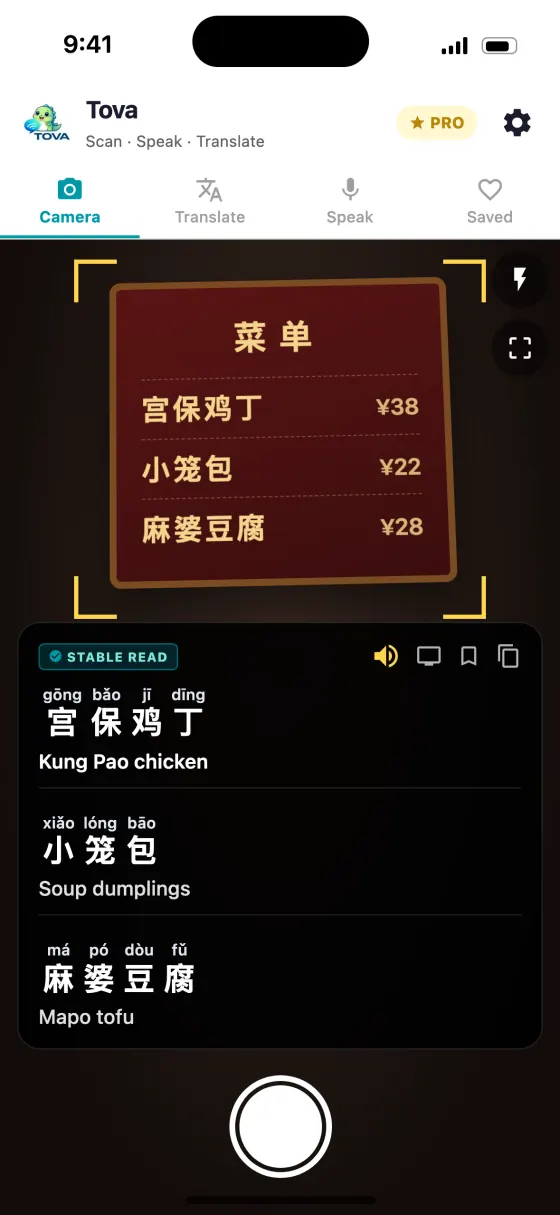
How we tested
Each app was installed on an iPhone, given its offline packs on home Wi-Fi, then used on a mainland Chinese mobile network and on hotel Wi-Fi in September 2026. We checked whether the app reached its servers, whether the offline mode did what it claimed in aeroplane mode, and what the camera produced on printed menus and street signage. What each kind of offline download actually covers is in the offline translator guide.
We have an obvious interest in one of these answers. The way to check us is the aeroplane-mode test from our China no-VPN guide: it takes five minutes, it costs nothing, and it does not require trusting a comparison written by a competitor.
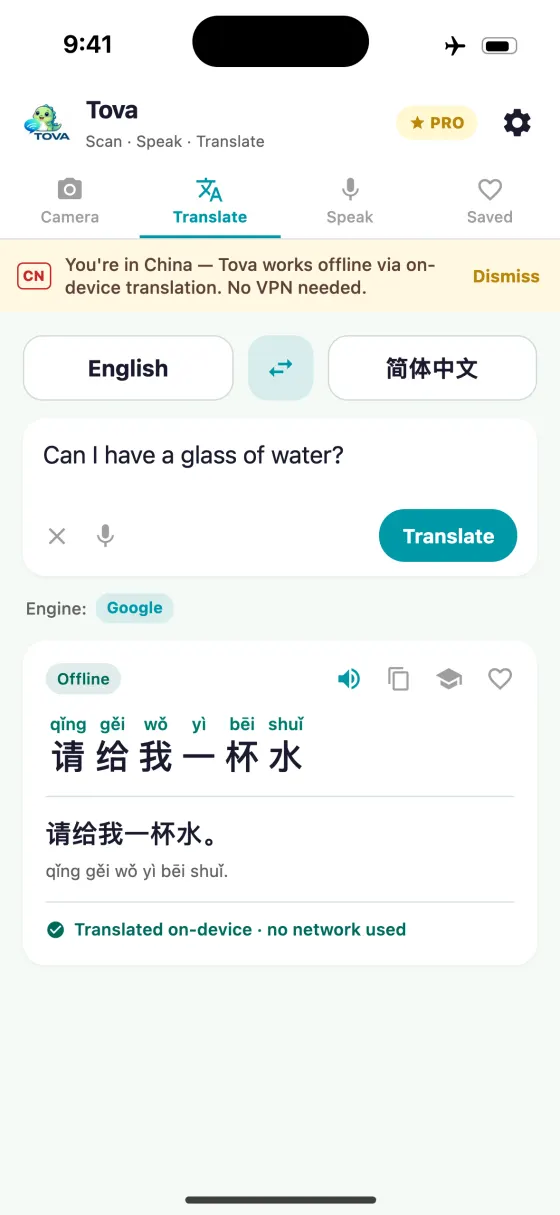
About this guide
Does Google Translate work in China?
No, not over the network. Google's services are filtered in mainland China and the China-specific translate.google.cn was shut down in 2022. Offline language packs downloaded before you arrive do keep working, because they run on your phone rather than on Google's servers.
What is the best free translator app for China?
Apple Translate, if you carry an iPhone. It is not blocked, it is already installed, and it translates offline once you download Chinese in Settings. It will not show pronunciation above each character.
Do I need a VPN to translate in China?
Not if your app translates on the device. A VPN is only needed for apps that must reach blocked servers, and a VPN has to be installed and configured before you arrive — installing one from inside China is itself usually blocked.
Is Pleco better than Google Translate?
For looking up a single character or word, yes, and it works entirely offline. For translating a whole sentence or paragraph, no — Pleco is a dictionary rather than a translator, and does not try to be one.
Will a travel eSIM get around the block?
Often, but not always. Many roaming and travel eSIM plans route your data back through the home carrier's network, so blocked services load normally. Some route locally instead and are filtered like any Chinese connection. Check with the provider and do not make it your only plan.
Can I translate what I type in WeChat?
Yes. WeChat has a built-in translate option for the message you are typing, free, in a handful of languages. Tova Keyboard works in WeChat and every other app, and adds pinyin and a back-translation so you can check the result; five translations a day are free. Both need a connection.
Try it on the next menu or sign
Free on the App Store and Google Play. Works offline in China, no VPN.
Download on theApp StoreGet it onGoogle Play