
Read it in three steps
- Point Tova's camera at the Chinese text and tap the shutter.
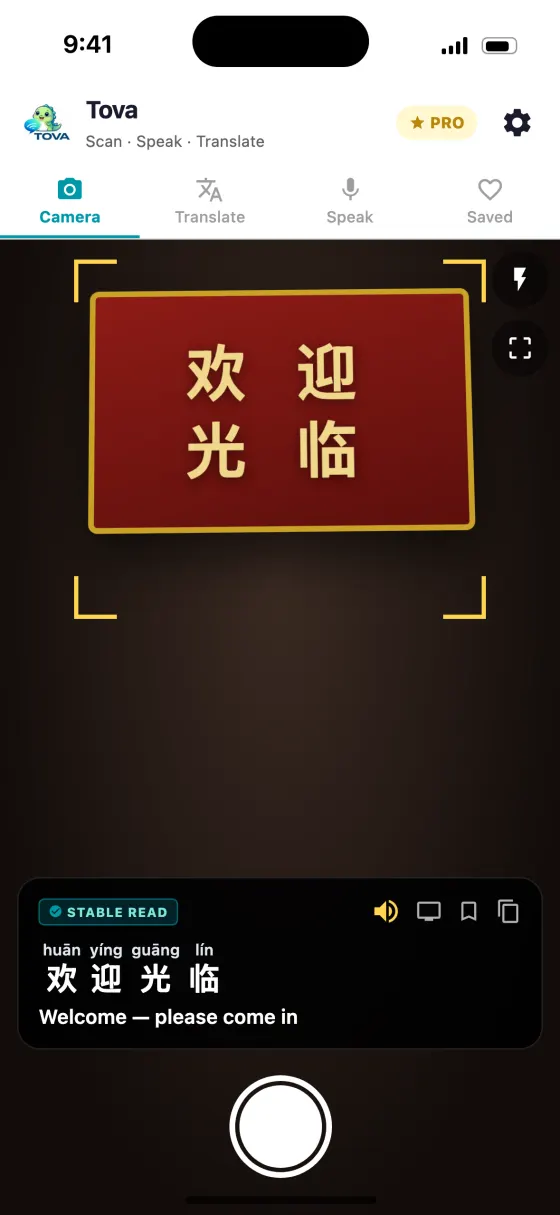
- Tova shows real Hanyu Pinyin above each character and the English translation, and you can tap to hear it spoken.
- Switch to Cantonese for Jyutping, or Japanese and Korean for romaji and revised romanization.
You do not need to learn Chinese to read a sign
Chinese has no alphabet, which is why it looks impossible. But reading a sign is not the same as learning the language, and the gap is smaller than it looks.
Characters are not pictures to memorise one by one. Most are built from a radical — a component that hints at meaning — plus a component that hints at sound. 河 (river), 湖 (lake) and 海 (sea) all carry the same three-stroke water radical on the left. Once you see it, you see it everywhere.
You are not trying to read fluently. You are trying to recognise enough to know whether the door says entrance or exit, and to say the name of the place you are going.
The dozen characters that do the most work
| Character | Pinyin | Meaning | Where you will see it |
|---|---|---|---|
| 入 | rù | Enter | Doors, subway gates |
| 出 | chū | Exit | Doors, 出口 = exit |
| 口 | kǒu | Mouth, opening | 出口 exit, 入口 entrance |
| 男 | nán | Male | Toilets |
| 女 | nǚ | Female | Toilets |
| 洗手间 | xǐshǒujiān | Bathroom | Signs, and worth memorising whole |
| 东 | dōng | East | Street names, station exits |
| 西 | xī | West | Street names |
| 南 | nán | South | Street names |
| 北 | běi | North | Beijing = 北京, northern capital |
| 大 | dà | Big | Sizes, street names |
| 小 | xiǎo | Small | Sizes |
| 中 | zhōng | Middle, China | 中国 = China |
| 站 | zhàn | Station, stop | Every subway and bus sign |
| 路 | lù | Road | Every street name |
| 元 | yuán | Yuan, money | Prices |
Tones are not optional, and pinyin shows them
Pinyin is the romanisation that turns 你好 into nǐ hǎo. The marks over the vowels are tones, and they change the word rather than decorating it: mā is mother, mǎ is horse, mà is to scold.
Travellers routinely decide tones are a refinement to worry about later. They are not — they are part of the word, in the way that swapping a vowel would be in English. Getting them approximately right is what makes the difference between being understood and being smiled at.
You will get them wrong. Say it anyway; people correct you, and the correction is how you learn.
Simplified and traditional are the same language
Mainland China and Singapore use simplified characters. Hong Kong, Macau and Taiwan use traditional. Same language, different written forms: 學 (traditional) and 学 (simplified) are the same word.
It matters for your camera settings — a scanner set to the wrong one is slower and less accurate — and it matters almost not at all for speaking. If you are travelling to both, set your app to match where you are standing.
How a camera actually helps
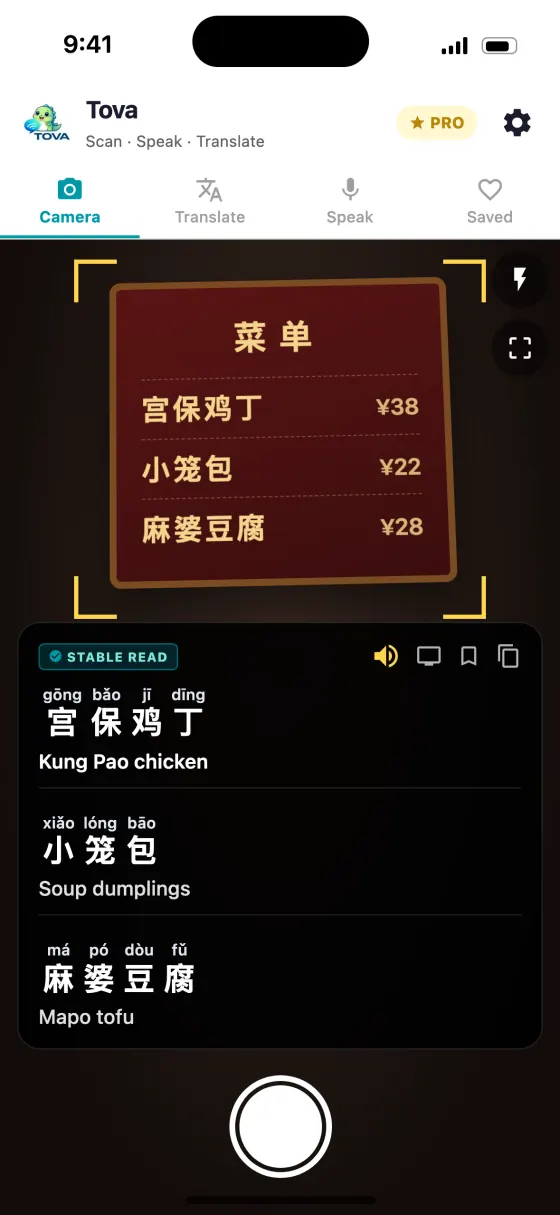
Point-and-read closes the loop the dictionary cannot: you do not need to know a character's pronunciation to look it up, because the camera recognises the shape for you.
The useful form of this is not just the translation. It is the translation with the reading above each character, because that is what lets you attempt the word, hear yourself, and start recognising it unaided. A translation alone teaches you nothing — you point, you eat, you forget.
Handwriting and calligraphy are still hard, for cameras as much as for learners. Faded signs, brush strokes and stylised restaurant logos defeat every scanner some of the time.
A realistic first week
- Day one: 出口 (exit) and 洗手间 (bathroom). That is genuinely enough to be functional.
- Day two or three: the numbers 一二三四五六七八九十, which turn prices and platform numbers from guesses into facts.
- By the end of the week: 站 (station) and 路 (road), so street names and subway maps stop being decoration.
- Whenever you eat: scan the menu and read the pinyin out loud before you point. Five seconds, and it is the only practice that sticks, because you immediately find out whether you were understood.
About this guide
What app shows pinyin above Chinese characters?
Tova Translate does: scan any Chinese text and it renders authentic Hanyu Pinyin above each character, with the English and tap-to-listen audio. It's free to download and also does Cantonese Jyutping and Japanese and Korean readings.
Can it read the characters aloud?
Yes — tap any result to hear it spoken in Mandarin (or Cantonese), so you learn the sound, not just the romanization.
Does it work offline?
The camera recognition and per-character pinyin run on your phone, so it keeps working with no connection — including inside China without a VPN.
Try it on the next menu or sign
Free on the App Store and Google Play. Works offline in China, no VPN.
Download on theApp StoreGet it onGoogle Play