
Read it in three steps
- Turn on Boardroom mode in Settings (a Pro feature), then open the Speak tab.
- Set the two main languages, then tap + 3rd in the chip row and choose the third speaker's language.
- Before each person talks, tap the swap arrow until their language is highlighted, then tap the mic.
Where two-way translation breaks
Most translator apps are built for two people: you and a waiter, you and a taxi driver. Put a third language at the table — a supplier who speaks Mandarin, a colleague who speaks Japanese, and you in English — and one of you ends up waiting while the other two talk, or someone is drafted in as an interpreter and stops taking part.
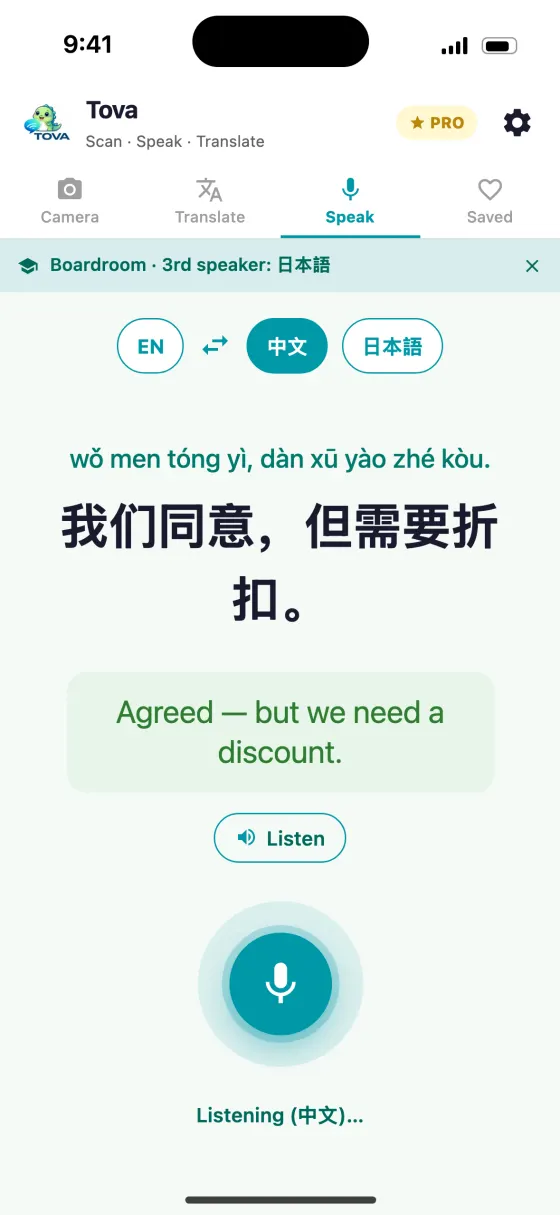
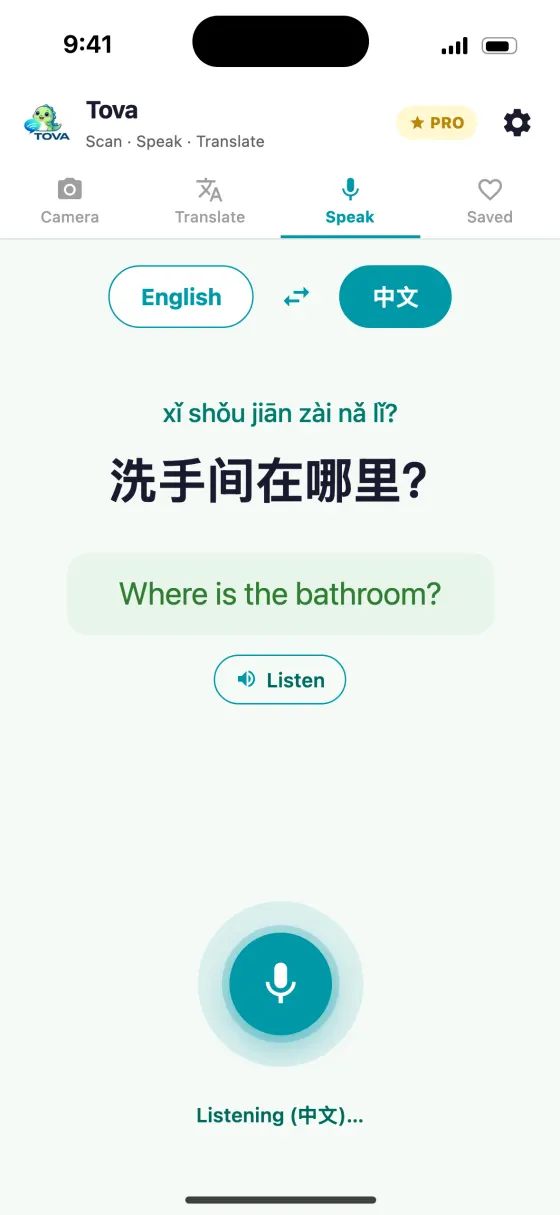
Boardroom mode is Tova's answer. It is part of Tova Pro. One phone sits in the middle of the table, holding three languages, and the person holding the floor is whoever you have selected. Each turn is transcribed with its reading, translated, and can be played aloud with Listen.
It is worth being clear about what it is not. It does not listen to the room and work out who is talking. You tell it, with a tap, every time the speaker changes. That sounds like a chore and in practice becomes a rhythm within a few turns — the same rhythm as passing a microphone.
How the three-way set-up works
The Speak tab has a row of language chips across the top. With Boardroom on, the row reads: first language, the swap arrow, second language, and a + 3rd chip. Tap + 3rd and pick the third language; that chip then shows the language name, and the third speaker becomes the active one so they can start straight away.
The swap arrow cycles the floor: first speaker, second speaker, third speaker, back to the first. The highlighted chip is the language Tova is listening for. Speech recognition only works in one language at a time, which is why getting the highlight right matters more than anything else in this mode.
Each time you tap the mic, Tova listens for one utterance and stops when the speaker pauses. Tap it again for the next turn. To drop the third speaker, tap the cross on the Boardroom banner and the conversation goes back to two languages.
| You want to | Do this |
|---|---|
| Add a third language | Tap + 3rd in the chip row and pick a language |
| Pass the floor | Tap the swap arrow until the speaker's chip is highlighted |
| Change the third language | Tap the third chip again and choose a new one |
| Hear a translation | Tap Listen under the translation |
| Go back to two people | Tap the cross on the Boardroom banner |
Swipe to see the whole table →
Real situations, step by step
A supplier meeting with an agent in the room
- Set the languages before anyone sits down. For example English, Mandarin, and a third language for a colleague. Do a two-line test so everyone sees what happens on the screen.
- Put the phone flat in the middle, screen up. People read the translation as well as hear it, and numbers are far easier to check on screen than by ear.
- Make one person responsible for the swap arrow. Usually whoever called the meeting. Everyone else just talks when the highlight is on their language.
- Keep turns to one or two sentences. Long turns produce long transcripts where a single misheard number hides in the middle. Short turns are easier to correct.
- Confirm prices, quantities and dates in writing afterwards. Treat the conversation as the negotiation and an email as the record.
A family dinner across three languages
- Choose the languages people actually speak at home. If grandparents speak Cantonese rather than Mandarin, pick Cantonese — the transcript comes back with Jyutping, which the Cantonese guide explains.
- Let whoever holds the phone run the swap arrow. Nobody else needs to touch it.
- Use Listen for anyone who does not want to read a screen. The translation is spoken aloud, which suits older relatives better than small text.
A group tour with a local guide
- Set the guide's language plus the two languages in your group.
- Ask the guide to pause between points. The mic stops when the speaker stops, so natural pauses are what split the talk into turns.
- Save the useful answers. Place names and directions can go to Favourites, which keeps the reading so you can show it later.
What works and what does not
| Works well | Struggles |
|---|---|
| Short, complete sentences | Long monologues with no pause |
| One person speaking at a time | People talking over each other |
| Someone assigned to the swap arrow | Everyone expecting the app to know who is talking |
| Numbers and names checked on screen | Numbers taken on trust by ear |
| Little background noise, or a phone close to the speaker | A loud restaurant with the phone at the far end of the table |
| Plain vocabulary | Heavy slang, in-jokes and very specialist jargon |
Swipe to see the whole table →
Common mistakes
- Forgetting to pass the floor. If the second speaker talks while the first speaker's language is still highlighted, Tova listens in the wrong language and the transcript comes back as nonsense. Tap the arrow first, every time.
- Expecting automatic speaker detection. Boardroom mode does not detect who is talking. Someone has to select the speaker.
- Assuming every turn is translated for everyone. Each turn produces one translation. Do a short test exchange first and check which language each speaker's turns come out in, so the person who most needs to follow is not left out.
- A language the phone cannot listen in. Speech recognition depends on iOS. If Tova says it cannot listen in a language, adding that language's keyboard in iOS Settings usually fixes it.
- Using it for anything legally binding. Machine translation is good enough to hold a conversation. It is not a certified interpreter, and a contract needs one.
When a human interpreter is still the right call
For a first meeting, a site visit or a dinner, Boardroom mode keeps everyone in the conversation without a fourth person at the table. For a signing, a dispute, a medical appointment or anything where one mistranslated word costs real money, pay for an interpreter.
If you are travelling in mainland China, the rest of your translation set-up matters as much as the meeting itself — the comparison of translator apps for China covers which ones keep working without a VPN.
About this guide
Can an app translate between three languages at once?
Tova's Boardroom mode holds three languages on one phone. You select who is speaking with the swap arrow, and each turn is transcribed, translated and can be read aloud, so a meeting with English, Mandarin and Japanese speakers can keep going without a human interpreter.
Does it detect who is speaking automatically?
No. You tap the swap arrow to choose the speaker before they talk, and it cycles through the first, second and third language in turn. Speech recognition listens in one language at a time, so the selected speaker has to be the one talking.
Who is three-way translation for?
Mixed-language meetings, family dinners across generations and group travel with a local guide — any situation where two-way translation forces someone at the table to sit out.
Is Boardroom mode free?
Boardroom mode is part of Tova Pro. Camera translation, two-way voice translation and all 118 languages are free.
Does each speaker need their own phone?
No. One phone sits between the speakers. Whoever holds it taps the swap arrow to hand the floor to the next person, and Tova switches recognition to that person's language.
Can I use Cantonese as one of the three languages?
Yes. Cantonese is a separate language in Tova from Mandarin, and Cantonese transcripts come back with Jyutping readings rather than pinyin.
Try it on the next menu or sign
Free on the App Store and Google Play. Works offline in China, no VPN.
Download on theApp StoreGet it onGoogle Play