
Translate inside any chat, without leaving it.
Tova Keyboard is a keyboard for iPhone and Android. Write your message in WhatsApp, WeChat, Messages or LINE, tap Translate, and send it in the other language. You also get the reading, so you can say it out loud.
Comes with the free Tova Translate app · 5 keyboard translations a day are free
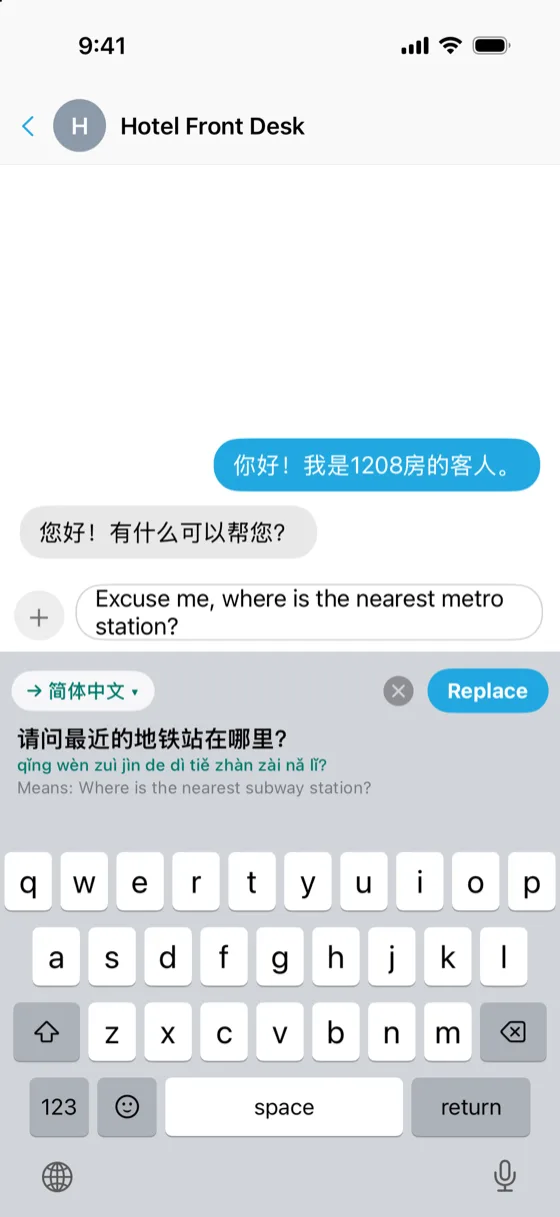
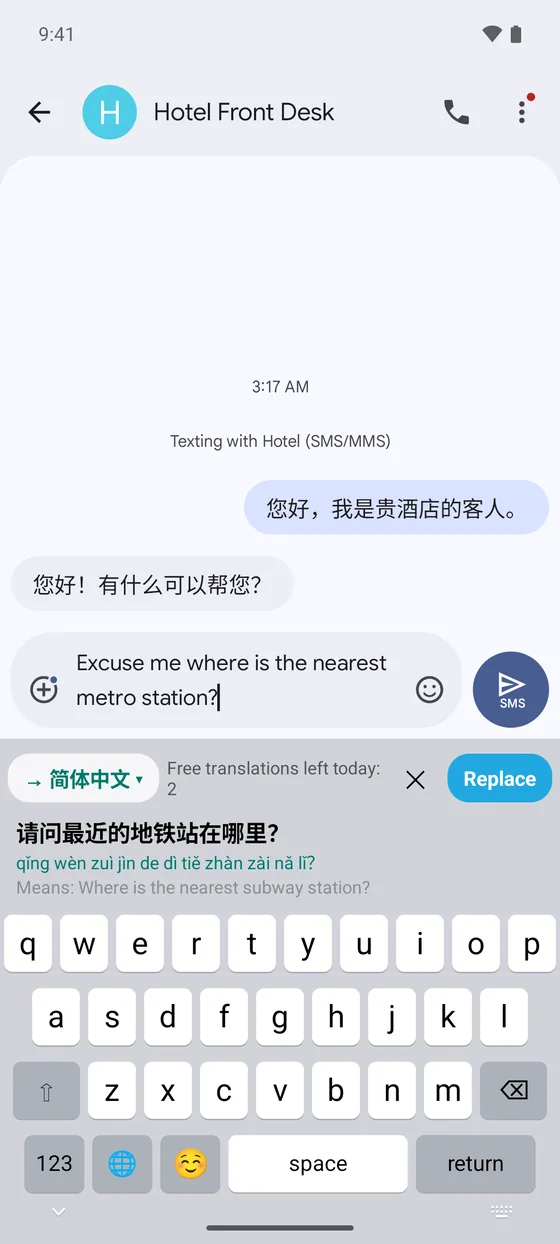
Type, translate, replace.
You stay in the conversation the whole time. There is nothing to copy into another app and paste back.
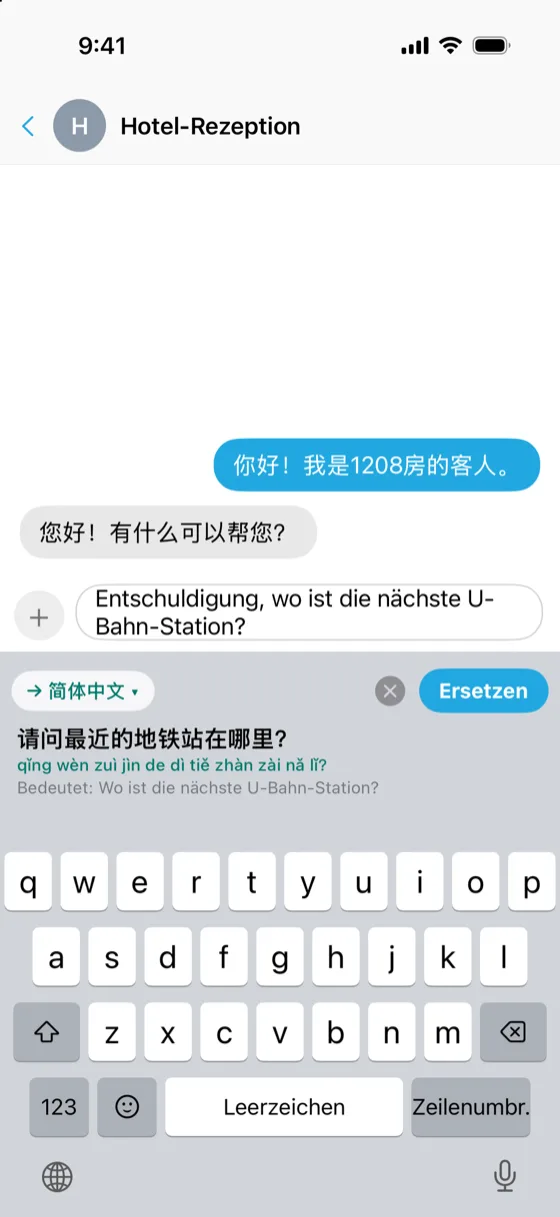
- Type as usualSwitch to Tova Keyboard with the 🌐 key and write your message in your own language.
- Tap TranslateThe translation appears above the keys, with its reading underneath and a “Means:” line that translates it back to you.
- Tap ReplaceYour draft is swapped for the translation, ready to send. Changed your mind? Undo puts your own words back.
Built for talking to people, not just reading signs.
A reading you can say
Under each translation: pinyin for Chinese, Jyutping for Cantonese, romaji for Japanese, romanization for Korean. Enough to say the sentence, not only send it.
A check before you send
The “Means:” line translates the result back into your language, so you can see that it says what you meant.
Read what they sent you
A keyboard cannot see incoming messages, so copy the one you received and tap the clipboard button. Tova shows it in your language, with the reading, and leaves your reply alone.
Polite when it matters
Turn on Polite from the language chip when you write to a host, a driver or a shop. It matters most in Japanese and Korean.
It works both ways
Already writing in the other language? Tova notices and translates your draft into your own language instead.
Just one part
Select a few words first and only that part is translated. The rest of the message stays as you wrote it.
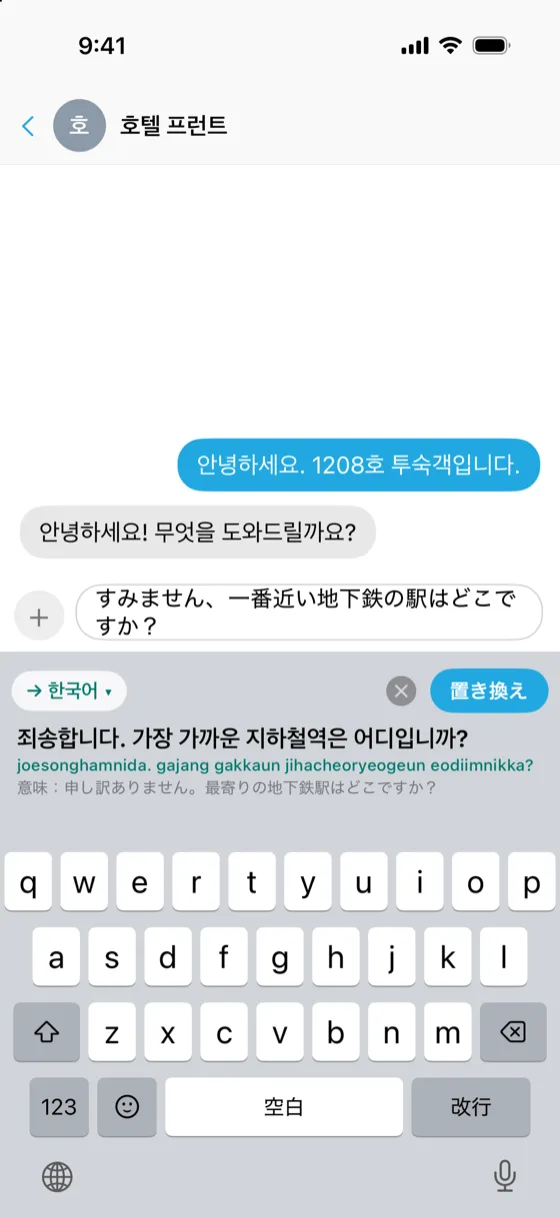
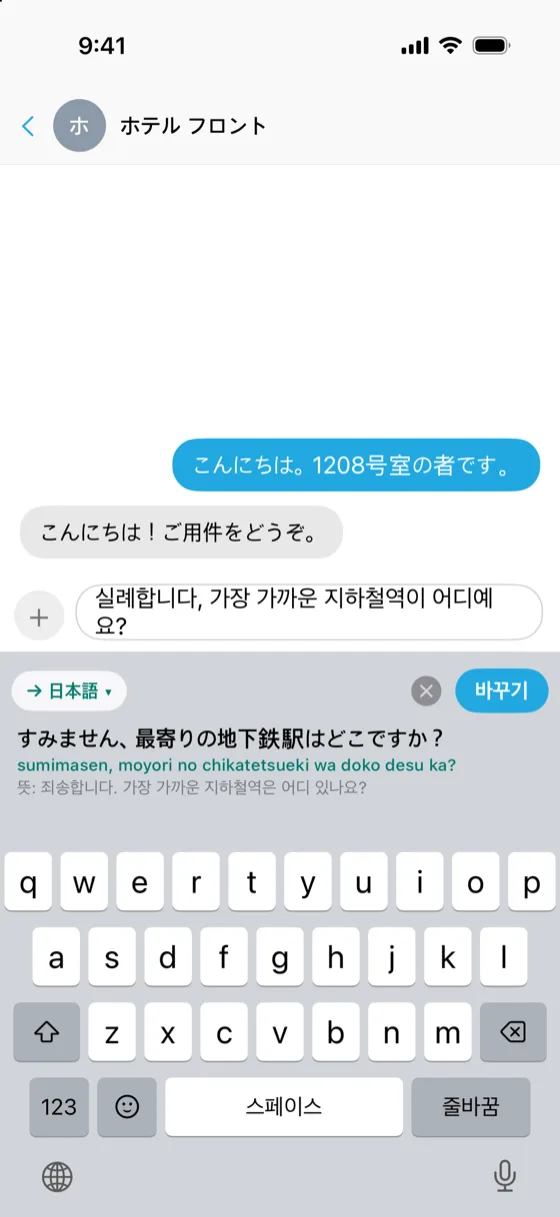
The keyboard speaks your phone's language.
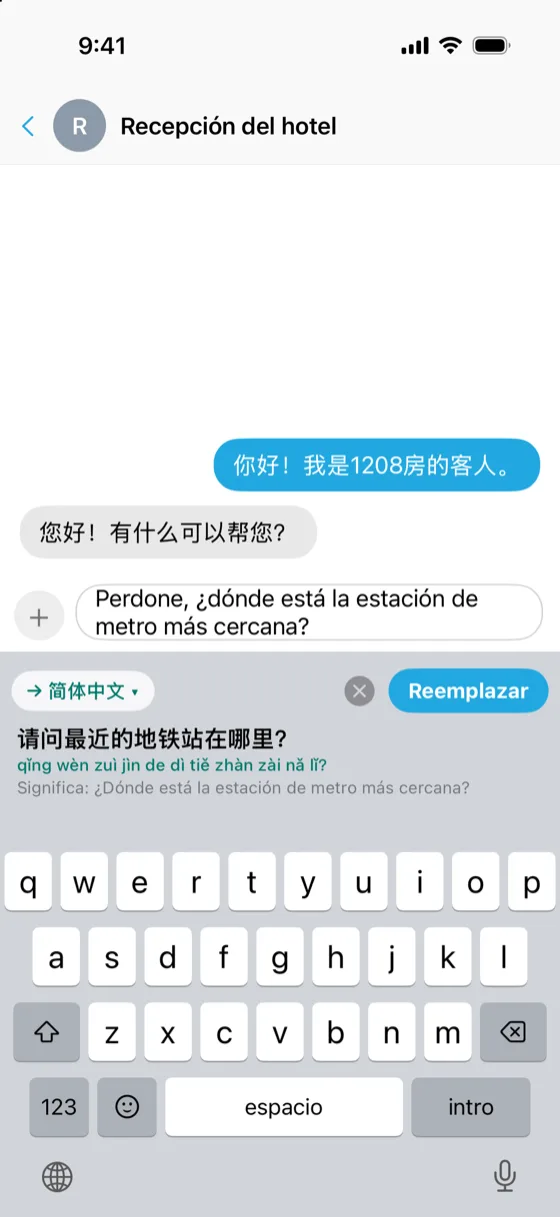
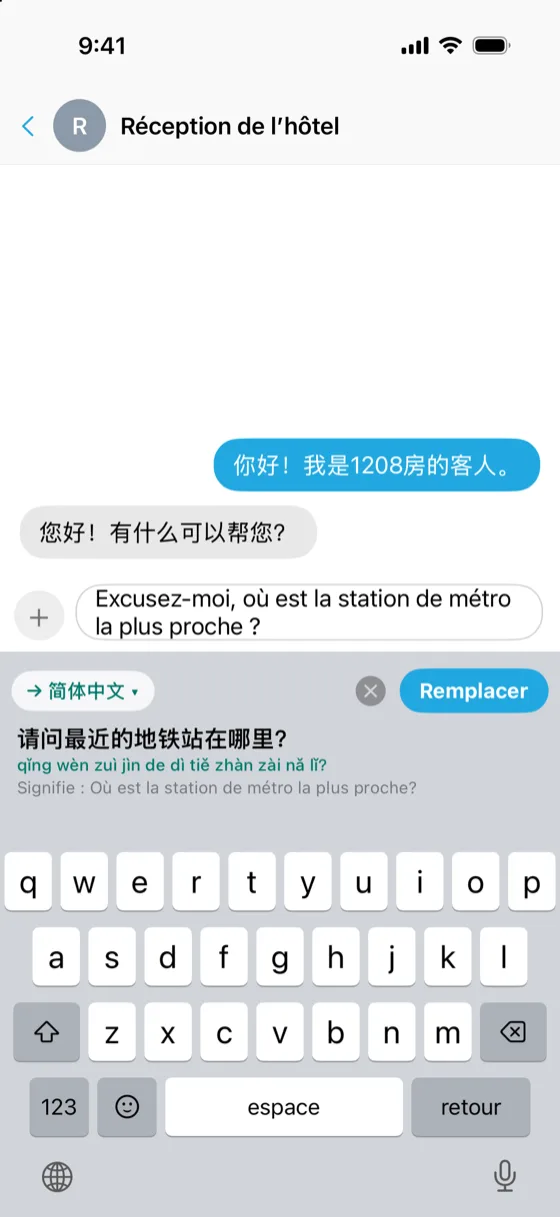
The buttons and hints on Tova Keyboard follow the language your phone is set to. These are real captures from the Japanese, Korean, German, Spanish and French versions.
Two minutes, once.
Install Tova Translate, open Settings → Keyboard → Tova Keyboard, and follow the steps for your phone.
iPhone
- Tap Open Settings on the Tova Keyboard screen.
- Tap Keyboards and turn on Tova.
- Turn on Allow Full Access. Tova needs it to reach its translation server; typing works without it.
- In any app, hold the 🌐 key and choose Tova.
Android
- Turn on Tova Keyboard in the keyboard list. Android warns that any keyboard could collect what you type; Tova sends text only when you tap Translate.
- Switch to Tova Keyboard.
- In any app, switch keyboards with the 🌐 key or the keyboard icon at the bottom of the screen.
Typing is free. So are five translations a day.
5 a day, free
Every phone gets five keyboard translations a day. The count starts again at midnight US Pacific time. Typing on the keyboard is never counted.
Unlimited with Pro
Tova Pro is $8.99 a month or $54.99 a year, and the 7-day Travel Pass is $5.99, paid once. Both remove the daily limit. US prices; your store shows yours. See what else Pro adds.
Text leaves your phone only when you tap Translate.
That message goes to Tova's translation server, the same as the Translate tab in the app. Nothing else you type is sent anywhere.
- Full Access on iPhone is what lets a keyboard use the internet at all. Without it the keyboard still types; it just cannot translate.
- Password fields: on Android the keyboard only types there, with the translate bar, suggestions and the clipboard button switched off. On iPhone, iOS uses its own keyboard for passwords.
- The details are in the privacy policy.
What it does not do.
- It needs a connection to translate. With no signal, use the Tova app, which falls back to on-device translation.
- Chinese and Japanese are typed with your usual keyboard. Tova Keyboard has QWERTY letters, plus Thai, Korean, Russian or Arabic letters when your phone is set to one of those languages. To translate something written in Chinese or Japanese, type it with your usual keyboard, switch to Tova and tap Translate.
- It cannot read your chats. No keyboard can. To translate a message you received, copy it first.
Tova Keyboard, in short.
Does Tova Keyboard work in WhatsApp and WeChat?
Yes. It works in any app that lets you choose your keyboard: WhatsApp, WeChat, LINE, KakaoTalk, Messenger, Telegram, Instagram, Messages, email and notes. You switch to it with the 🌐 key, the same way you switch to an emoji keyboard.
Which languages can it translate into?
The same 118 languages as the Tova app. Tap the language chip on the keyboard to choose one. A reading is shown under the translation for languages that need one, including pinyin for Chinese, Jyutping for Cantonese, romaji for Japanese and romanization for Korean.
Does it work without an internet connection?
Typing does. Translating from the keyboard needs a connection, because the message is translated by Tova's server. For translation with no signal, use the Tova app itself, which switches to on-device translation.
Does it replace my normal keyboard?
No. It is an extra keyboard that sits beside the ones you already have. It types like a normal keyboard, with autocorrect, suggestions, numbers, symbols, emoji and accented letters, so you can stay on it for a whole conversation or switch back with the 🌐 key.
Can I type Thai, Korean, Russian or Arabic letters with it?
Yes, when your phone's main language is one of them. Tova Keyboard then shows that language's standard layout, and a key next to space switches to English letters and back. Chinese and Japanese need a separate input method, so they are not typed on Tova Keyboard: type with your usual keyboard, then switch to Tova Keyboard and tap Translate. It reads whatever is in the message box, in any script.
More answers, including Apple Watch and the Lock Screen button, are in the FAQ.
Say it in their language, in the chat you are already in.
Tova Keyboard comes with Tova Translate. Free to download, no sign-up.